
Download CD DVD Label Maker – macOS disc‑labeling tool, free templates, secure printing
Overview
CD DVD Label Maker is a dedicated macOS application that streamlines the creation of professional‑looking labels, jewel‑case inserts, spines, and covers for both CD and DVD media. Whether you are a music enthusiast curating a personal collection, a small business preparing media for distribution, or a teacher needing to organize instructional discs, this tool offers a full suite of design assets and output options that keep the process intuitive and efficient. The app’s drag‑and‑drop interface, combined with a WYSIWYG (What‑You‑See‑Is‑What‑You‑Get) editor, eliminates the steep learning curve typical of graphic‑design software, allowing beginners to generate polished results in minutes while still providing enough depth for seasoned designers to fine‑tune every detail.
By integrating directly with iTunes and Finder playlists, CD DVD Label Maker can auto‑populate track information, reducing manual entry and ensuring accurate metadata on every label. The software also supports direct‑to‑disc printing with compatible Epson printers, as well as standard label‑sheet printing from popular brands such as Avery and Canon, making it flexible enough for home studios, professional print shops, and everything in between. In short, CD DVD Label Maker delivers a balanced mix of creativity, precision, and convenience, all wrapped in a macOS‑native package that respects Apple’s design guidelines and security standards.
Key Features and System Compatibility
Feature List
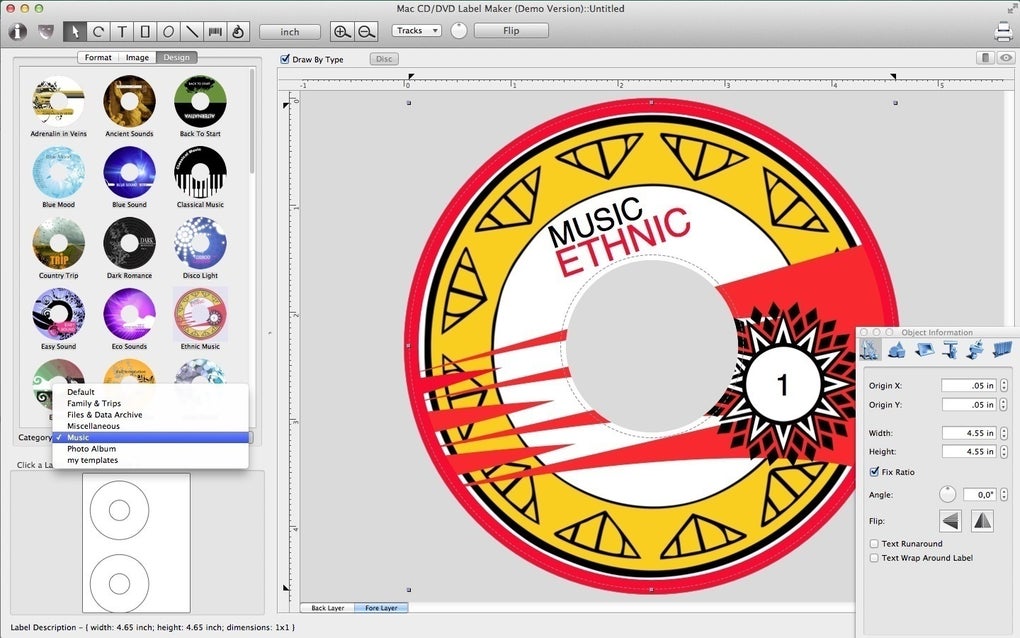
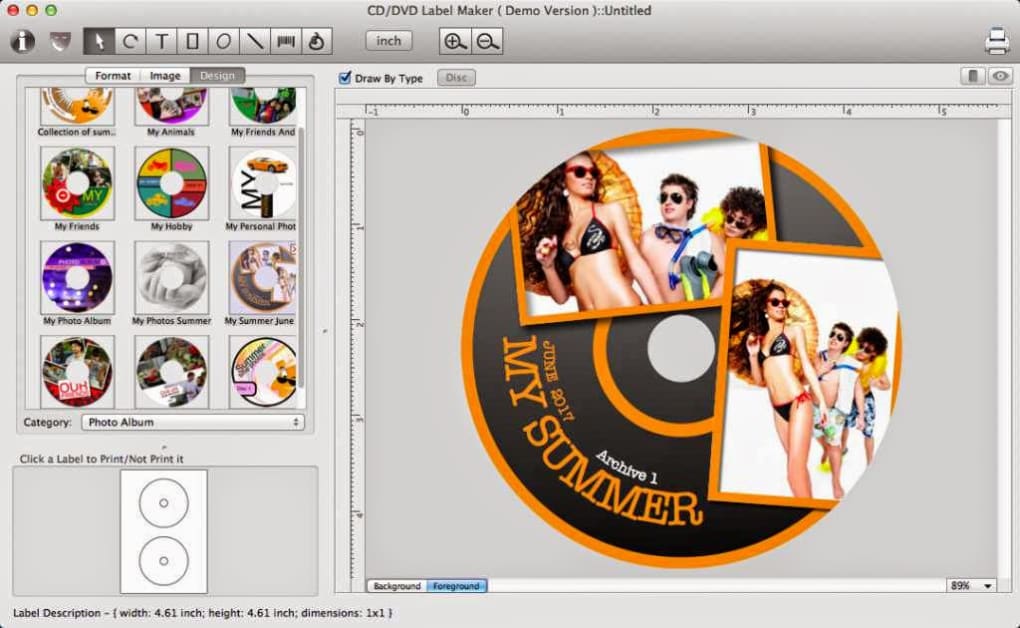
- Over 300 pre‑designed templates covering disc fronts, spines, jewel‑case inserts, and full covers.
- Library of 1,000+ background images, clipart, and vector shapes for unlimited customization.
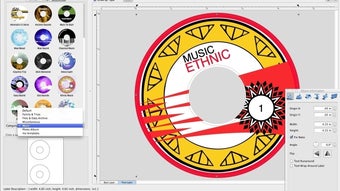
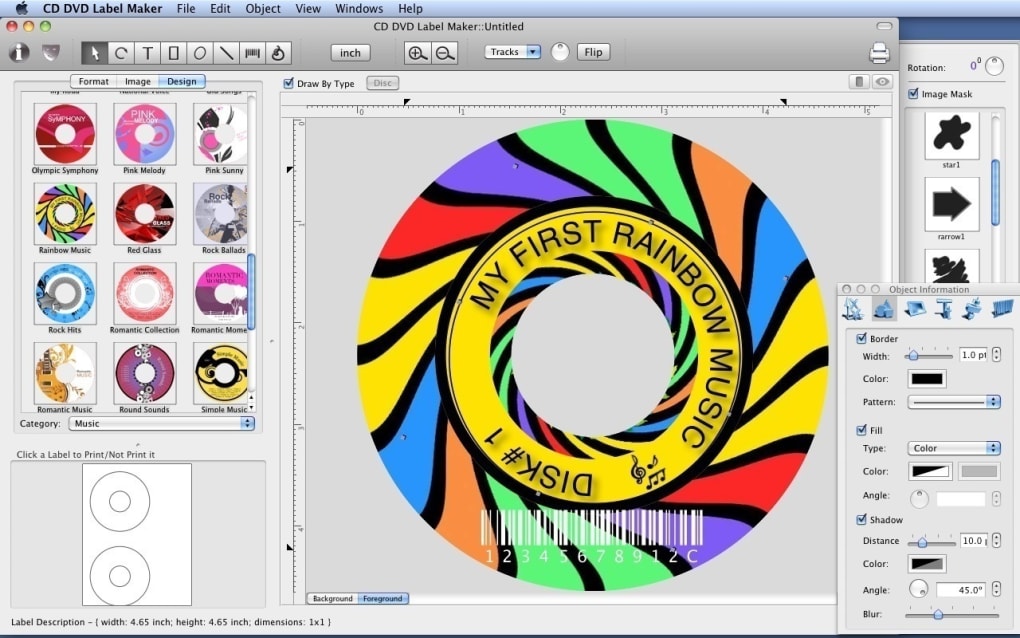
- WYSIWYG editor with real‑time preview, layer management, and alignment guides.
- Support for common image formats: JPEG, PNG, GIF, TIFF, BMP, and PDF export.
- Direct‑to‑disc printing compatibility with Epson Stylus series printers.
- Label‑sheet printing for Avery, Canon, and other popular label brands.
- Automatic playlist import from iTunes and Finder to populate track titles and numbers.
- Calibration tools that ensure precise label placement and avoid misalignment.
- Custom gradient, shape, and text styling options, including shadow, emboss, and outline effects.
- Batch processing mode for creating multiple disc labels from a single project file.
Operating System Support
CD DVD Label Maker runs on macOS 10.13 (High Sierra) and later, including macOS Ventura and macOS Sonoma. The application leverages Apple’s native Metal graphics framework for smooth rendering and benefits from macOS’s built‑in security features such as Gatekeeper and notarization, ensuring a safe installation experience.
Installation, Daily Use, and Pros & Cons
How to Install and Get Started
Installing CD DVD Label Maker is straightforward. After purchasing or downloading the free trial from the developer’s website, double‑click the .dmg file and drag the app icon into the Applications folder. macOS will verify the app’s signature; once approved, you can launch it from Launchpad or Spotlight. The first run launches a brief onboarding wizard that helps you select your default label size, choose a printer profile (direct‑to‑disc or label‑sheet), and import any existing iTunes or Finder playlists you wish to use. All preferences are saved in a user‑specific configuration file, allowing the app to remember your settings across sessions.
Typical Workflow
1. **Create a New Project** – Click “New” and pick a template that matches your disc type (e.g., 120 mm CD, DVD‑case spine).
2. **Add Artwork** – Drag images from your Finder window onto the canvas, or use the built‑in clipart library. Resize and rotate using intuitive handles.
3. **Enter Text** – Use the text tool to type album titles, artist names, or custom messages. Apply fonts from macOS’s system collection or import additional Typefaces.
4. **Fine‑Tune Layout** – Snap‑to‑grid guides, alignment tools, and the calibration wizard ensure your label prints exactly where it should.
5. **Preview** – The WYSIWYG pane shows a 100 % accurate preview, including how the design will appear on a physical disc.
6. **Print or Export** – Choose “Print” for direct‑to‑disc output or “Export” to save a high‑resolution PNG, JPEG, or PDF for later use.
Pros
- Extensive template library eliminates the need for third‑party design tools.
- Native macOS integration provides a smooth, stable experience.
- Direct‑to‑disc printing support saves time for users with compatible Epson printers.
- Playlist import feature auto‑fills track information, reducing manual entry.
- High‑resolution export options allow professional printing services to be used.
Cons
- No native Windows or Linux version—Mac‑only limits cross‑platform teams.
- Limited integration with third‑party graphic suites like Adobe Photoshop or Illustrator.
- Batch processing, while useful, can be slower on older Mac hardware.
- Direct‑to‑disc printing requires specific Epson models; other printers rely on label sheets.
- Learning curve for advanced layer effects may be steep for absolute beginners.
FAQ and Final Verdict
Can I use CD DVD Label Maker with non‑Epson printers?
Yes. While the app’s direct‑to‑disc feature is limited to compatible Epson Stylus models, you can still print labels on standard label‑sheet formats (Avery, Canon, etc.) using any printer that supports those sheets.
Is there a free trial available?
A 14‑day free trial is offered on the developer’s website. The trial provides full access to all templates, design tools, and printing options, after which you can purchase a license to continue using the software.
Can I import my existing label designs from other programs?
The application can import standard image formats (JPEG, PNG, TIFF, BMP, PDF). However, it does not support native project files from Adobe Illustrator or Photoshop, so you’ll need to export those designs as images first.
Does the software support batch creation of multiple disc labels?
Yes. The batch processing mode allows you to apply a single template to a list of tracks or albums, automatically generating individual label files that can be printed or exported in bulk.
What macOS versions are no longer supported?
Support starts at macOS 10.13 (High Sierra). Versions earlier than High Sierra, such as macOS 10.12 Sierra and earlier, are not compatible due to reliance on newer system libraries.
Conclusion – Should You Download CD DVD Label Maker?
CD DVD Label Maker stands out as a focused, macOS‑first solution for anyone who regularly produces physical media. Its exhaustive template collection, drag‑and‑drop editor, and seamless playlist integration make it a time‑saver for music collectors and small‑scale publishers alike. While the lack of Windows support and limited third‑party design integration may be drawbacks for some, the app’s stability, security ( notarized by Apple), and flexible printing options more than compensate for those gaps. If you need a reliable, all‑in‑one label creation tool that respects Apple’s ecosystem and offers both direct‑to‑disc and label‑sheet workflows, this software is a worthy investment. Click the download button below to start your free trial, and experience hassle‑free disc labeling today.







